See exactly which apps
eat your bandwidth.
A minimalist macOS menu bar app. Real-time and historical network usage, per app. Helper processes fold under their parent. Nothing leaves your machine.
macOS 14+ · Apple Silicon & Intel · ~3 MB · License required to activate
01 · Why ova
Built like a tool, priced like one too.
Every feature that earns its place. Nothing that doesn't.
Near-zero overhead
Streams nettop once and parses incrementally. Idle CPU stays under 0.3% on Apple Silicon.
Helper-process grouping
Browser Helper, GPU Helper, Renderer — all folded under Arc, Chrome, or whichever parent .app they belong to.
Real history
Local SQLite with raw → minute → hour → day rollups. Months of trends without a 100MB log file.
Nothing leaves your Mac
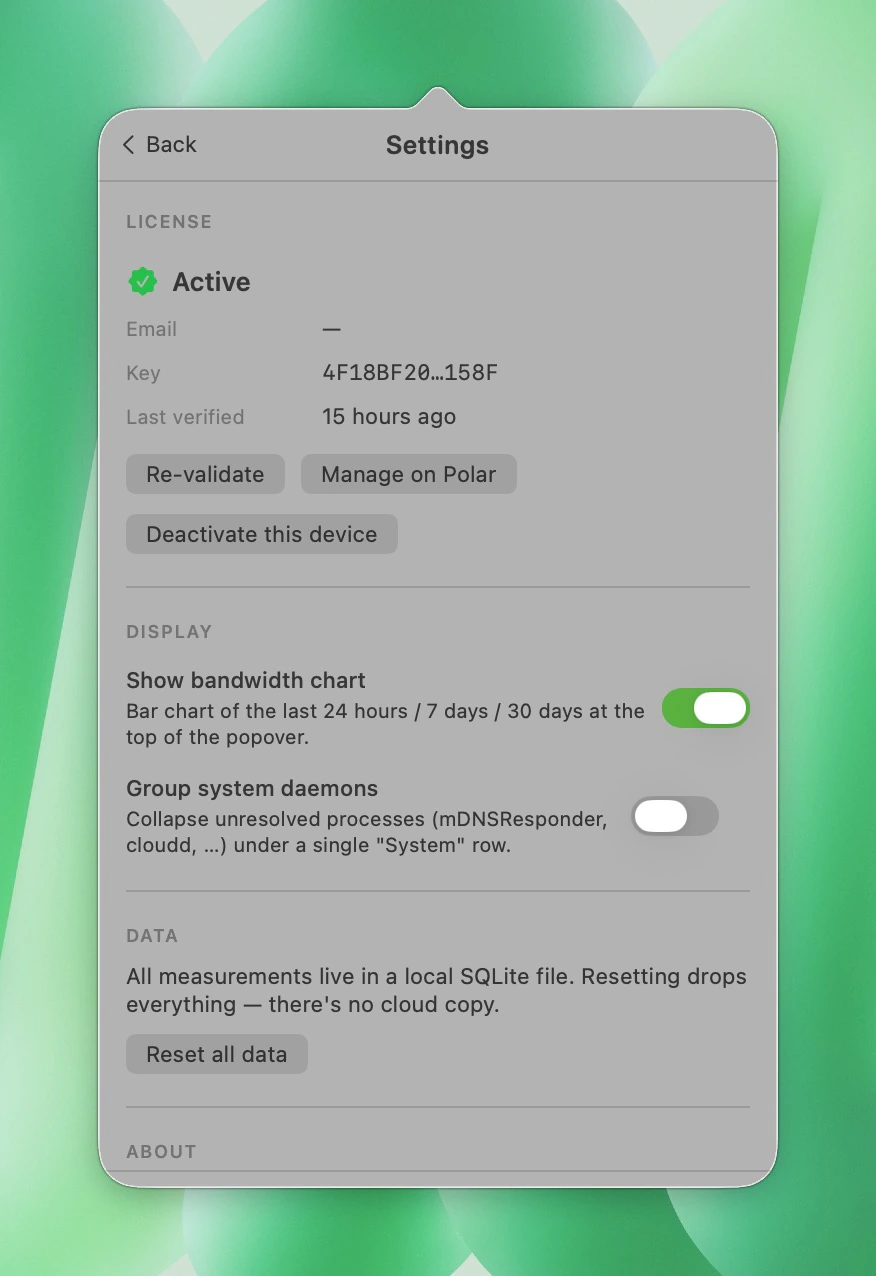
No telemetry, no analytics, no servers. Data lives at ~/Library/Application Support/ova.
Stable identifiers
Bundle IDs survive PID changes. Apps you use every day always show as one row, with their real icon.
Native everything
Swift + AppKit. Adapts to dark/light mode automatically. No Electron, no Catalyst, no surprises.
02 · Three views
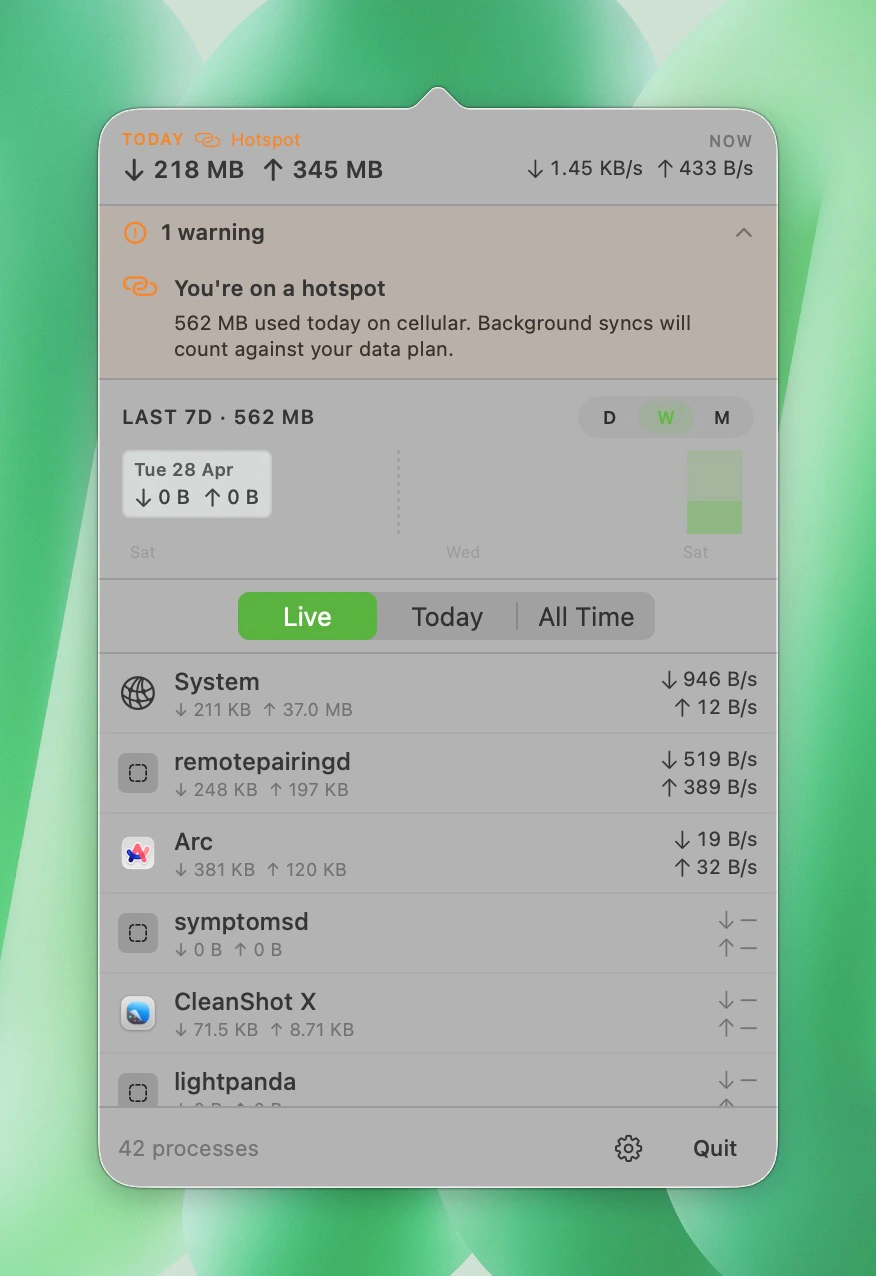
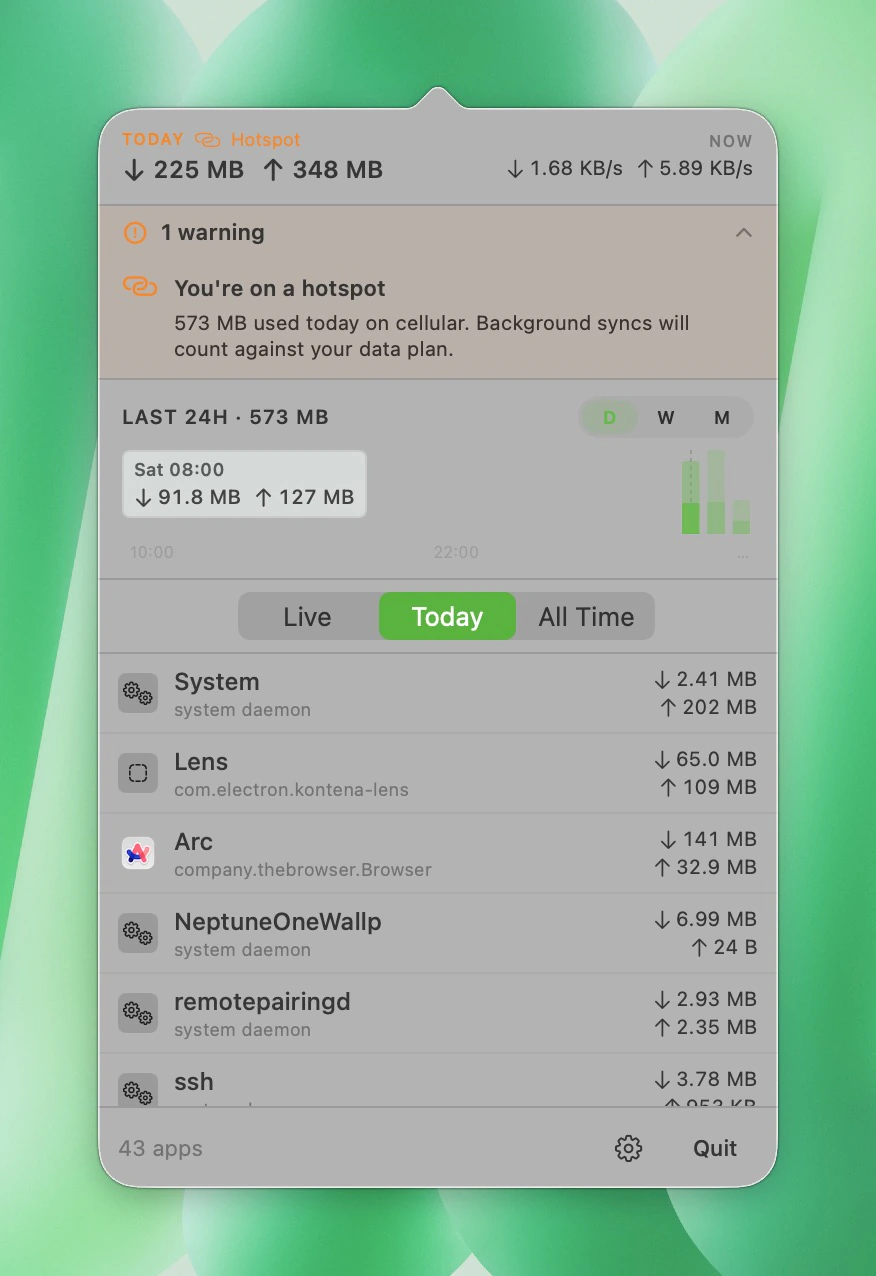
One menubar icon. Click to drill down.
Today, by the byte
Daily totals per app and a 24-hour bar chart you can hover for exact in/out values. Switch to 7 days or 30 days for weekly and monthly trends.
03 · Pricing
One price, lifetime.
Pay once, own it forever. No subscription, no nagware, no upsells.
USD · one-time
- macOS app, Apple Silicon native
- Lifetime updates
- Per-app live + historical bandwidth
- Helper-process grouping
- Local SQLite history with rollups
- No subscription, ever
Secured by Polar · Refund within 14 days, no questions asked.
04 · Get started
Up and running in three steps.
Buy a license, download the DMG, paste the key. Your menubar starts measuring within a minute.
- 01Buy
Get a license
Checkout through Polar — your license key lands in your inbox within seconds.
- 02Download
Install the app
One signed and notarized DMG. Drag ova.app into /Applications and launch.
macOS 14+ · ~3 MB - 03Activate
Paste your key
On first launch, ova asks for the license key from the Polar email. Paste it once — verified locally, tied to this Mac, your menubar starts measuring.
That's it.
05 · Questions
Honest answers.
Still stuck? [email protected]